Purchasing an action camera can be a minefield of compatibility issues and technical settings. Whether you are looking for a rugged companion for summer adventures or preparing for the next generation of hardware, understanding the current landscape is essential to getting the most out of your investment.
Choosing the Right Model: What to Buy and What to Avoid
When shopping for a GoPro, the temptation to buy older, cheaper models like the Hero 10 or 11 is high. However, buying older models is generally discouraged for two main reasons:
- Accessory Incompatibility: Modern mounting systems and accessories are increasingly designed for the latest hardware, meaning older models may feel “locked out” of the newest ecosystem.
- Physical Wear: Because these are action cameras, second-hand units have often been subjected to extreme conditions, increasing the risk of mechanical or seal failure.
The Current State of the Market:
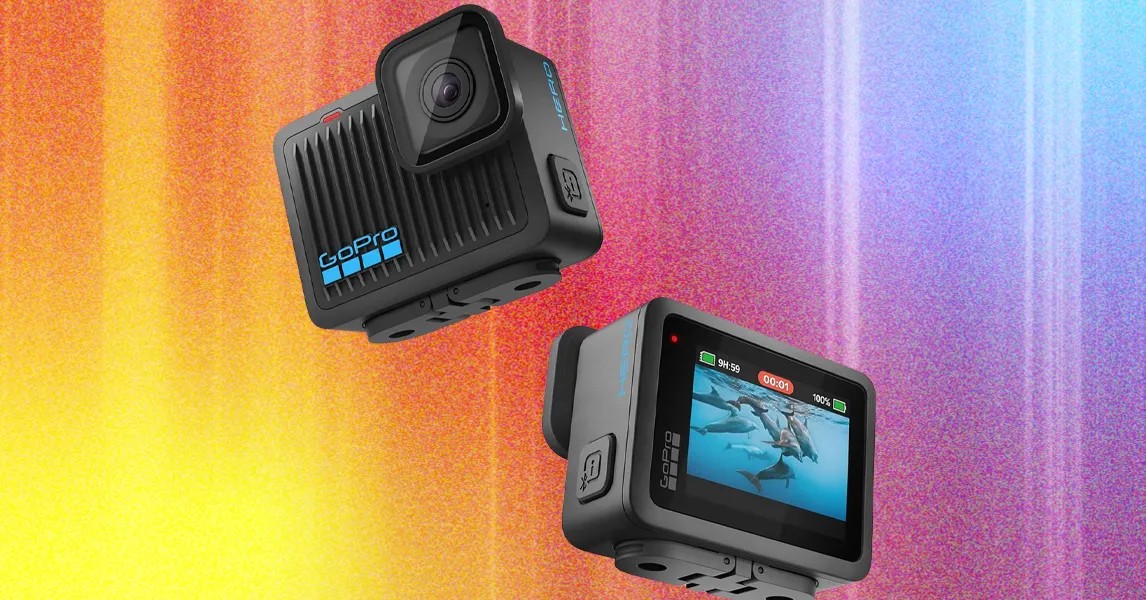
If you need a camera immediately for the upcoming summer season, the Hero 13 Black remains a highly capable choice. However, there is a major technological shift on the horizon. GoPro recently announced the Mission 1 series, featuring the new GP3 processor. This is a significant leap forward; the last major processor update was in 2021.
The new GP3 chip promises:
* Double the pixel processing power, potentially enabling 8K video.
* Improved low-light performance, addressing a historical weakness of the GoPro brand.
* Advanced architecture (5-nanometer SoC) that brings GoPro in line with competitors like DJI and Insta360.
Note: Mission 1 pre-orders begin May 21, with some professional models arriving in Q3.
Essential Accessories: A Modular Approach
Rather than buying expensive pre-made bundles, the most efficient strategy is to buy the camera first and add accessories as you identify specific needs. This prevents wasting money on gear you may never use.
Hardware & Mounting
- MicroSD Cards: GoPros are notoriously picky regarding storage. Look for V30 or UHS-3 rated cards. Reliable options include the Samsung series or the SanDisk Extreme Pro.
- Media Mod: This is arguably the most important upgrade for creators. It adds a built-in microphone jack, allowing you to use professional audio gear (like a Rode Wireless system). Note: Using the Media Mod removes the camera’s waterproof rating.
- Mounting Solutions: For cyclists, a dedicated Handlebar Mount is superior to third-party alternatives. For tripod users, ensure you have Tripod Mount Adapters unless you are using the Hero 12 or 13, which feature built-in threads.
- Water Safety: If filming near water, a Floaty or a Floating Hand Grip is a small price to pay to prevent losing your camera to the bottom of a lake or ocean.
- Extension Poles: A high-quality, collapsible Selfie Stick can double as a monopod for stable shots on soft surfaces like sand.
Software
- DaVinci Resolve Studio: While a free version of this editing software exists, the paid Studio version removes many of the technical restrictions that can hinder high-quality video workflows.
Pro Tips for Better Footage
Once you have your gear, use these technical adjustments to move beyond “standard” video quality.
1. Unlock Hidden Potential with GoPro Labs
GoPro Labs is an alternative firmware that unlocks experimental features not found in the standard software. While it carries a slight risk of bugs, it can add significant functionality—such as much longer time-lapses—to your existing device.
2. Optimize Video Settings
- Maximize Bitrate: By default, many GoPros do not record at their highest possible bitrate. In the ProTune settings, switch the bitrate to “High.” This reduces the “mushy” look in complex scenes. Caution: Higher bitrates increase heat and battery consumption; monitor your camera in warm environments to prevent overheating.
- Master Manual Exposure: Don’t rely solely on Auto mode. Experiment with Exposure Compensation (EV Comp) —dialing it down to -1 during midday can prevent blown-out highlights. Always aim for the lowest possible ISO to minimize digital noise, especially since action cameras struggle in low light.
Summary: To get the best results, prioritize modern hardware (Hero 13 or upcoming Mission 1), build your accessory kit based on actual usage, and use manual settings and high bitrates to maximize image clarity.