
Google has officially unveiled the roadmap for Android 17 and the next generation of its AI assistant, Gemini, marking a significant shift toward an operating system defined by proactive intelligence rather than passive utility. Announced during the second annual Android Show livestream ahead of the May 19 Google I/O developer conference, these updates signal Google’s commitment to weaving artificial intelligence deeply into the fabric of daily digital life.
The core philosophy, championed by Sameer Samat, President of the Android Ecosystem, is to transform Android into an “intelligent operating system.” This means moving beyond simple app launching to creating an environment where the OS anticipates needs, automates complex tasks, and adapts to user behavior. Crucially, Google emphasizes that these features are opt-in, addressing growing consumer concerns about privacy and control over AI integration.
The Rise of Gemini Intelligence
Rather than treating AI as a standalone app, Google is packaging its advanced capabilities under the banner of Gemini Intelligence. This suite of features is designed to work across a wider ecosystem, rolling out in waves starting with flagship devices like the Samsung Galaxy and Google Pixel phones this summer, with later support for smartwatches, cars, smart glasses, and laptops.
A key visual change is the introduction of a new indicator that shows when Gemini is “thinking” or acting on the user’s behalf. This transparency aims to build trust, making it clear when the AI is processing information in the background.
Multi-Step Task Automation
The most significant functional upgrade is the expansion of Gemini Task Actions. Previously limited to simple commands, Gemini can now execute multi-step processes across different apps and services.
- Cross-App Coordination: You can ask Gemini to book a ride or order food, and it will navigate the necessary apps (like Uber or DoorDash) in the background.
- Browser Integration: If an app isn’t installed, Gemini can perform the task via the Chrome browser. For instance, snapping a photo of a travel brochure allows Gemini to search for similar tours on Expedia automatically.
- User Confirmation: The AI handles the legwork but requires user confirmation for final actions, such as placing a payment, ensuring human oversight remains in the loop.
“We are moving toward a world where it starts to work in a much more comprehensive way,” says Mindy Brooks, VP of Product Management for Gemini Intelligence. “Those two things combined will really create a comprehensive automation suite for our users.”
Chrome Automation and Smart Autofill
Google is also leveraging AI to streamline web interactions:
- Chrome Auto Browse: Starting in late June, Gemini will act as a browsing assistant within Chrome. It can research, summarize, and compare content, or even handle reservations (e.g., booking parking via SpotHero) without manual form-filling.
- AI-Powered Autofill: By tapping into Personal Intelligence, Gemini can retrieve sensitive information—such as passport IDs or driver’s license numbers—from Gmail, Google Photos, or Drive to auto-fill forms. This feature is strictly opt-in and designed to reduce the friction of data entry while maintaining security controls.
Redefining the User Interface
Android 17 introduces several tools that alter how users interact with their home screens and input methods, focusing on customization and natural speech.
Custom Widget Creation
The Create My Widget feature allows users to generate custom home screen widgets using natural language commands to Gemini. Instead of selecting from pre-made options, users can describe exactly what they need—such as a weather widget displaying both Celsius and Fahrenheit for travel, or a countdown to a marathon. These widgets can be resized and deployed across Android, Wear OS, and the new Googlebook platform.
“Rambler”: Smarter Voice Dictation
The Gboard keyboard’s voice-to-text feature is being upgraded with Rambler, an AI model designed to clean up spoken dictation. It automatically removes filler words like “um,” “ah,” and “like,” and can even excise interruptions or conversational tangents. This allows for more natural speech patterns while producing polished text. The feature supports multilingual switching (e.g., blending English and Spanish) and processes audio locally without storing it.
Screen Reactions
For content creators, Android 17 introduces a native Screen Reactions feature. This allows users to record their face and screen simultaneously, facilitating the creation of reaction videos for social media without the need for third-party editing apps or green screens. This tool will initially launch on Pixel devices.
Strategic Partnerships and Creative Tools
Google is deepening ties with major tech players to enhance specific app experiences within Android 17.
Meta and Instagram Enhancements
A significant collaboration with Meta improves the Instagram camera experience on Android:
* Ultra HDR Support: Enhances capture and playback quality.
* Native Stabilization and Night Mode: Allows users to rely on Instagram’s built-in camera features without losing image quality compared to the native phone camera.
* Edits App Integration: Exclusive tools like Smart Enhance (on-device AI upscaling) and Sound Separation (isolating audio from background noise) are now available.
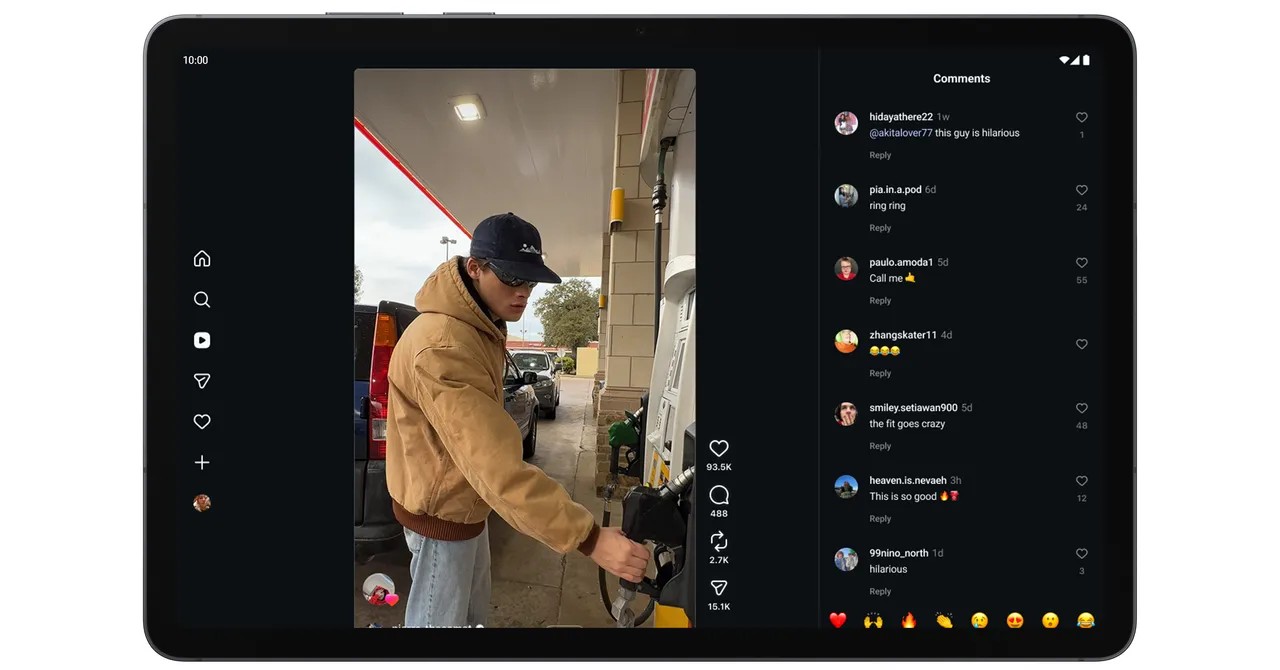
* Tablet Optimization: The Instagram app is now fully optimized for larger tablet screens.
Additionally, Adobe is bringing its Premiere video editing app to Android, featuring exclusive templates for creating YouTube Shorts.
Visual Updates
- 3D Emoji: Google is introducing Noto 3D, a new set of emojis with added depth and realism, replacing the previous flat designs. These will roll out to Pixel phones later this year.
- Pause Point: A new digital well-being tool designed to interrupt mindless scrolling. When opening a “distracting” app, Pause Point offers a 10-second window to reflect, suggesting alternatives like breathing exercises or setting a timer. It serves as a middle ground between simple app timers and more restrictive “dumb phone” modes.
Connectivity and Automotive Innovations
Quick Share to AirDrop Expansion
Google’s cross-platform file-sharing initiative is expanding. While initially limited to Pixels and Samsung Galaxy S26 devices, Quick Share to AirDrop will now support Oppo, OnePlus, Vivo, Xiaomi, and Honor phones. This allows seamless file transfer between Android and iOS devices. For incompatible devices, Quick Share can generate a QR code for cloud-based sharing.
Android Auto: Immersive Navigation and Safety
Android Auto receives a major visual and functional overhaul:
* Adaptive UI: The interface now adapts to any dashboard screen shape (round, rectangular, etc.), utilizing the Material 3 Expressive design language.
* Immersive Navigation: Google Maps offers a 3D view with detailed buildings, terrain, and traffic lights.
* Gemini in the Car: Users with Gemini Intelligence-enabled phones can access Magic Cue, which searches emails, calendars, and texts to answer questions (e.g., “Where is my friend?”) with one-tap responses.
* Vehicle Integration: For cars with “Google built-in,” Gemini can answer questions about the vehicle’s status (e.g., warning lights) and provide live lane guidance using the car’s front-facing camera. Meeting apps like Zoom will also be supported on dashboards.
The Future of Laptops: Enter “Googlebook”
In a notable expansion beyond mobile, Google announced Googlebook, a new platform for laptops powered by Android technologies and centered around Gemini. Major manufacturers including Acer, Asus, Dell, HP, and Lenovo will produce devices running this platform later this year. While distinct from Chromebooks, Googlebook aims to bring the flexibility and AI capabilities of Android to the laptop form factor.
Conclusion
Android 17 represents a pivotal moment for Google’s mobile strategy, transitioning from a platform of apps to an AI-driven ecosystem that anticipates user needs. By integrating Gemini Intelligence into core functions—from voice dictation to web browsing and automotive navigation—Google aims to reduce digital friction while maintaining user control. As these features roll out across smartphones, cars, and new laptop platforms, the definition of the “smartphone” continues to evolve into a broader, more intelligent computing experience.