
Think of your house like an island.
The internet comes from the outside world, right? But that traffic needs a dock.
The modem is that dock.
The big ships come in there from the Worldwide Web. The modem grabs the cargo, checks the manifest, and passes it inside. Then there is the router, which acts like a local warehouse. It takes those deliveries and sends out little trucks to every device scattered across your island—phones, laptops, smart fridges.
People mix these up all the time.
They see a black box on the floor and assume it does everything. Sometimes it does. That is called a gateway or combo device. Confusing? Absolutely. If you are upgrading your home network, you need to know what each box actually does before you buy another cable.
The Translator
Let’s talk about the modem first.
Modem stands for Modulator-Demodulator. A mouthful. It basically translates between your ISP’s language and your home’s language. You click a link? The modem modulates that data into signals the outside world understands. You receive data? It demodulates the signal back into something your router can use.
I remember dial-up.
Back then I plugged a tiny ISP box directly into the phone line and connected it to a single PC with an Ethernet cable. Just one computer. Online. Slow. Painfully so. Today you could do that, hardcoding one PC to the modem. But nobody does. We want wireless everywhere.
So what does a modern modem look like?
Usually a small box mounted near where the internet cable enters the wall. How do you spot one? Look at the cord coming in.
– If it uses a telephone line, expect a small connector (RJ11).
– Cable modems use that thick, round coaxial connector.
– Fiber users see an Optical Network Terminal (ONT) with a very thin glass cable.
All of them share one feature.
They have at least one large Ethernet port (RJ45). That port is where the modem shakes hands with the router. Your ISP might give you a modem, which is usually fine. Their router? Usually terrible.
The Traffic Cop
Now we get to the router.
It broadcasts the internet signal to your devices. It routes outgoing traffic back to the modem. It creates your Local Area Network (LAN). Every time you stream Netflix, load Instagram, or join a game server, the router decides which slice of bandwidth gets to whom.
Any device within range can connect if you give it the password.
Choose a strong one. Lose that password and good luck reconnecting. There are plenty of ways to share the key once you have it.
Speed is only part of the equation.
Your ISP sets your raw speed limit, yes. But the router manages how that speed gets distributed. A cheap ISP-provided router chokes under load. A good router—maybe one using the latest Wi-Fi 7 standard—offers stability. It cuts down on lag. It patches security holes. Buying your own router is usually the smartest upgrade you can make.
The Combo Trap
Then there is the hybrid.
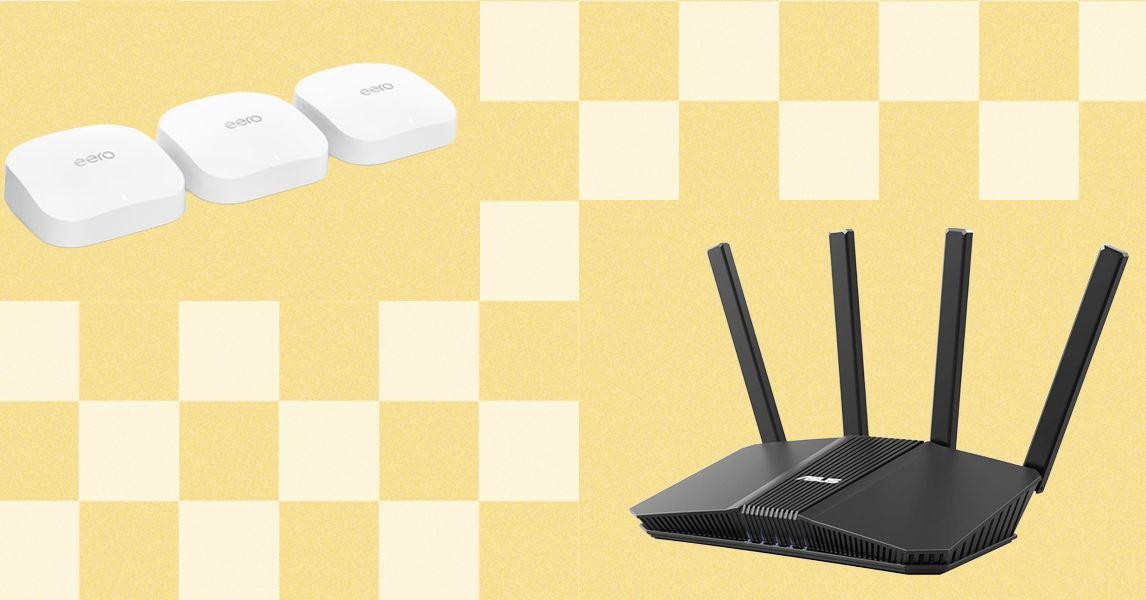
Many ISPs rent out a device that contains both the modem and the router. These gateways are hard to distinguish from standalone routers at first glance. Even manufacturers like Asus sell routers with built-in DSL modems that look just like their regular models.
Here is the tell.
Look at the back.
A router-only device will have multiple RJ45 ports.
A combo device has those, plus a smaller, specialized port for the incoming ISP signal (coaxial or phone jack).
Renting from the ISP makes your life easy but costs you money.
Often a lot of money. Why rent subpar hardware when you can own better? It rarely makes financial sense. Check your bills. Most ISPs allow you to use your own modem. Some allow your own gateway. But separate is almost always better than combined.
“Separate devices mean better performance, flexible placement, and easier repairs. If one breaks, you only replace one box. You aren’t locked into a rental fee forever.”
Yes, separate boxes mean more cables. More clutter on the shelf.
But it also means you can move the router to get better coverage while leaving the modem safely near the entry point. Upgrading is cheaper, too. If the modem tech changes but the router is fine, keep the router.
Picking Gear
Shopping is overwhelming.
Mesh systems. Beamforming. AX routers.
Most homes just need a single solid router placed high up in the center of the house. Don’t hide it in a closet. Don’t put it behind the TV. Let it breathe.
Modems cost between $50 and $300+.
Honest truth? A sub-$100 modem works fine for 90% of people. I once bought a used DSL modem on eBay for under fifty bucks. Worked like a charm for two years. Brands like Netgear, Arris, and Draytek are safe bets. Just check that the modem supports your specific ISP speed tier (in Mbps).
Do not buy a $200 modem if you have $50 internet.
But if you plan to upgrade your ISP package next year? Maybe buy a modem with some headroom. It’s a long-term investment.
The Bridge
Stuck with a clunky ISP combo box but want better Wi-Fi?
Bridge mode.
This feature disables the gateway’s routing function. The device stops being a router and becomes just a modem. It passes the internet straight to your superior personal router.
This prevents “double NAT,” a networking headache that messes with gaming and security.
Search your ISP’s support pages for “[ISP Name] router bridge mode.” They will tell you how to do it. Usually a menu tweak. Done.
So do you need to know this?
Well. Your internet is slower than it could be. The black box humming on your desk is probably renting itself to you for $15 a month. Is it doing a good job?
Doubtful.